Applies to the desktop app video2text v2.6.3.
This guide shows how to switch to a different transliteration model in two steps.
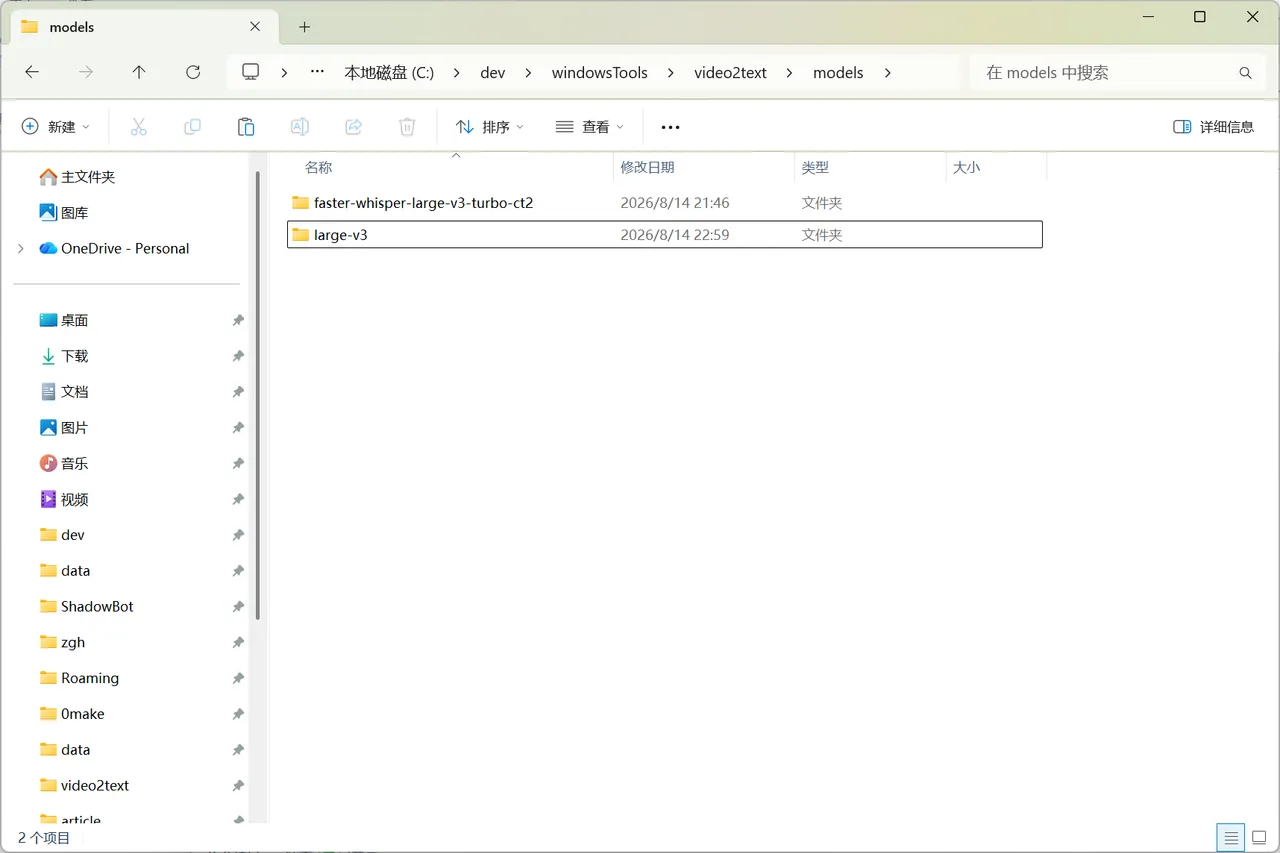
1. Copy the model files into the models directory
Place the model files into the application’s models directory. Each model should live in its own subfolder.
2. Edit the configuration and set the model path
Open the configuration and write the model folder name into the model path field so video2text loads it.
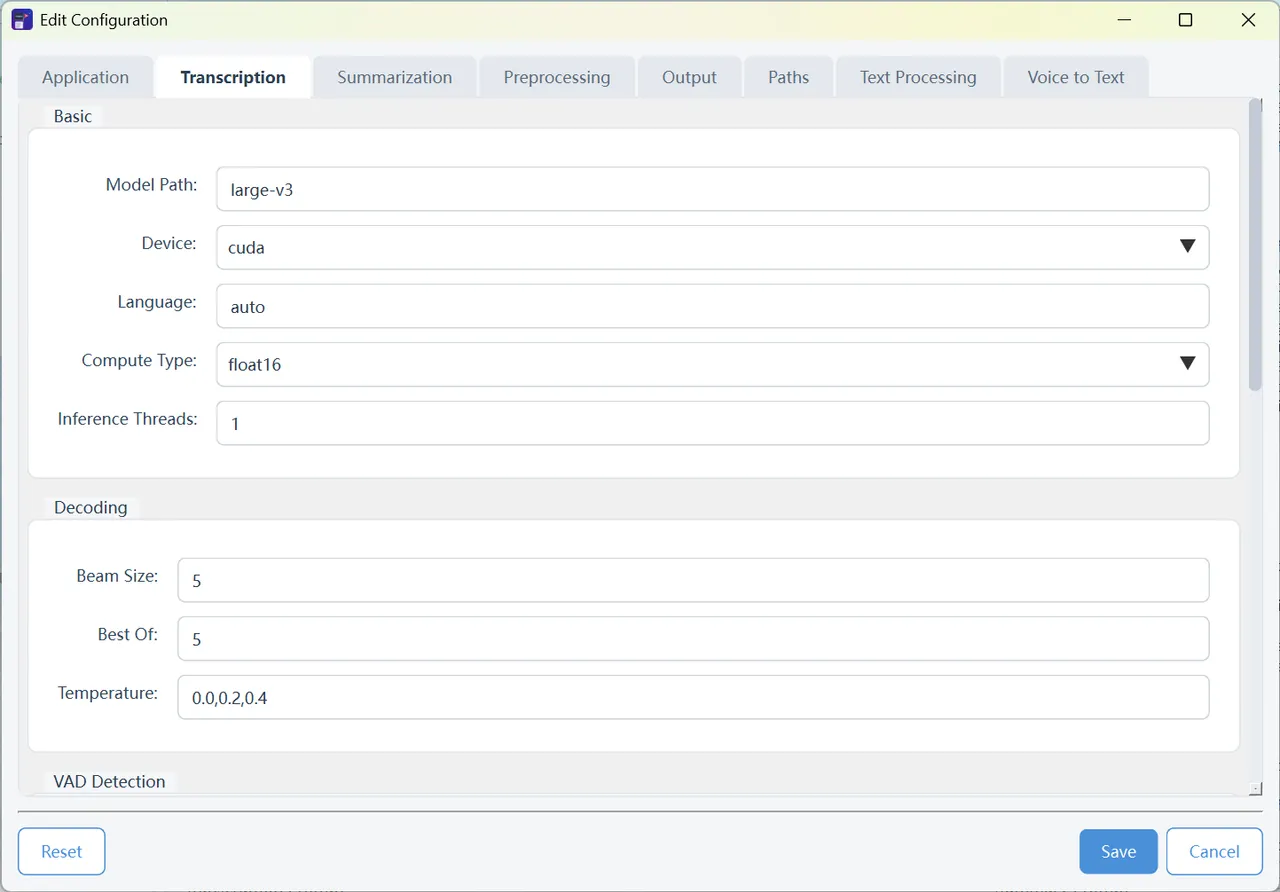
After saving, restart video2text (or reload the models) for the change to take effect.